AI Sentence Rewriter: 7 Tools for Founders (2026)
The 7 best AI sentence rewriters for indie founders writing SEO content in 2026 — free tiers, real limits, and a draft-to-publish workflow.

Most AI sentence rewriters on the SERP right now — QuillBot, Ahrefs, Grammarly — are built for a single job: swap a word, smooth a phrase, done. Useful, sure. But that stops well short of what a solo founder actually needs when a rough draft has to become a publishable SEO post by end of day.
The distinction worth anchoring to is structural rewriting vs. synonym-swapping. An AI sentence rewriter that only substitutes vocabulary leaves your sentence architecture intact — awkward logic, weak transitions, and all. The tools worth your time restructure the sentence itself: tightening the clause order, redistributing emphasis, and lifting the Flesch readability score in the process. That’s the difference between a rewrite that passes a grammar check and one that reads like you meant every word.
The seven tools below are evaluated through one lens: how well they move a founder’s clunky first draft toward something Google and a reader both want to finish — with a clear note on what each free tier actually gives you before the paywall hits.
What makes an AI sentence rewriter worth using for SEO content
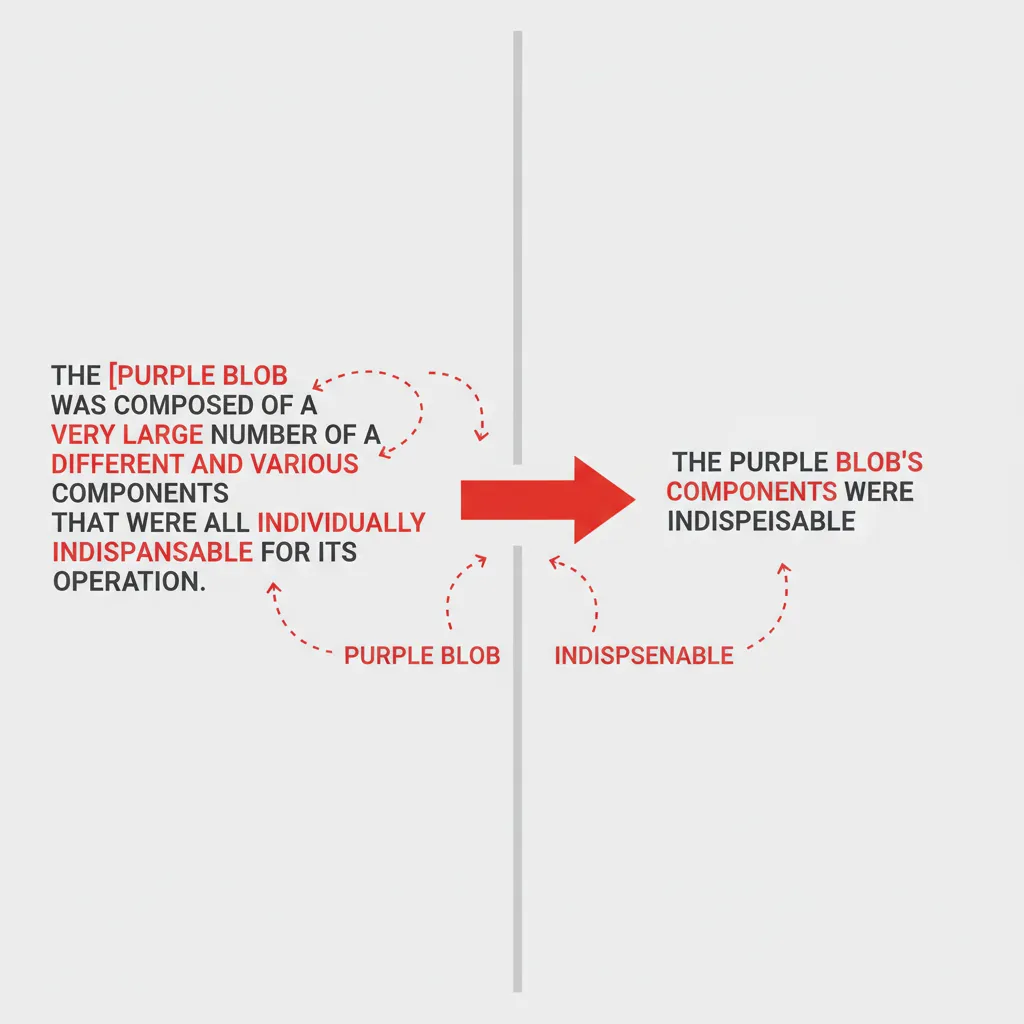
Synonym-swapping vs. structural rewriting: why it matters for blog posts
Picture a first draft sentence like: “Our tool is very good at helping users to be able to write content that is more clear.” A synonym-swapper trades “good” for “effective” and calls it done. A structural rewriter produces something closer to: “Our tool helps users write clearer content, faster.” Same meaning, half the words, none of the filler. That gap — between polishing and actually improving — is what separates a passable draft from one worth publishing.
For blog posts targeting Google, sentence structure affects more than readability scores — it shapes how a passage gets parsed by the AI Overview. The Google snippet for “ai sentence rewriter” already summarises the standard functional benefits: clarity, tone, vocabulary, plagiarism prevention. If your content just echoes that list, you’re feeding the snippet, not earning the click. Structural rewrites produce sentences distinct enough to sit outside the abstracted summary.
The criteria we used to evaluate each tool (SEO output quality, free tier, founder fit)
Every tool in this list was assessed on three things: output quality (does the rewrite actually read better, or just differently?), free-tier access (what can you do before hitting a paywall?), and founder fit (does it produce something closer to a publishable draft, or just a cleaner sentence?).
The evaluation criteria from the PAA data — output naturalness, mode granularity, meaning preservation, and word-cap limits — map directly onto those three buckets. QuillBot offers 10 named rewriting modes on its free tier, which is a wide range for zero cost. Mode count alone, though, doesn’t answer whether the output is ready to publish on a site that has a defined tone, target keyword, and internal linking structure. That practical gap is exactly what this list tries to close.
The 7 best AI sentence rewriters for founders in 2026
1. InstaDraft — site-aware rewrites with SEO context built in
InstaDraft is the only tool in this list that rewrites with your site’s existing content in mind — it pulls in SEO context rather than treating each sentence as an isolated input. The result is a publishable draft that matches your blog’s existing tone and internal link structure, not just a cleaner sentence dropped into a vacuum. Free tier available; check the pricing page for draft limits, or see how the workflow runs end-to-end.
2. QuillBot — best free rewrite modes for quick edits
QuillBot offers 10 named rewriting modes — Standard, Fluency, Formal, Humanize, Academic, Creative, and more — with Standard and Fluency both free. The browser extension lets you rewrite inside Google Docs or any web editor without switching tabs. Best for single-sentence polishes when you already know the structure is right.
3. Grammarly — best for tone consistency across a draft
Grammarly’s rewriter sits inside your active browser workspace and provides multi-tone options, so you can shift one paragraph from casual to formal without breaking the rest of the post’s register. More useful for consistency audits than wholesale structural rewrites.
4. Wordtune — best for sentence-level phrasing variations
Wordtune generates multiple phrasing alternatives per sentence and lets you shorten or expand specific passages on demand. Handy when you have the right idea but three different ways to say it and no instinct for which one lands.
5. Ahrefs Sentence Rewriter — best for social-optimised output
Ahrefs tailors sentence structure for engagement across different social platforms. Narrower use case, but genuinely useful when you’re cutting a blog paragraph down to a LinkedIn caption. Free, no login required.
6. Semrush AI Rewriter — best for marketing copy and CTAs
Semrush’s rewriter is built around promotional text: refreshing product descriptions, adjusting tone on CTAs, scaling copy variations for small business owners. Not the right tool for narrative blog prose; exactly the right one for a landing-page paragraph that’s not converting.
7. Copy.ai — best for repurposing existing content at scale
Copy.ai is strongest when you have existing assets — a blog post, a transcript, a case study — and want to transform them into new formats or audiences. The workflow is built for volume, which suits founders scaling to two or more posts per week more than those editing individual sentences.
Here’s how the 7 tools stack up at a glance:
| Tool | Best for | Free tier |
|---|---|---|
| InstaDraft | Site-aware, SEO-contextual rewrites | Yes — check plan page |
| QuillBot | Quick single-sentence edits, 10 modes | Yes — Standard & Fluency free |
| Grammarly | Tone consistency across a full draft | Yes — basic rewriting |
| Wordtune | Multiple phrasing variations per sentence | Yes — limited runs |
| Ahrefs | Social-optimised sentence structure | Yes — no login needed |
| Semrush | Marketing copy and CTA refreshes | Yes — no login needed |
| Copy.ai | Repurposing content at scale | Yes — check plan page |
Free tier limits: what you actually get before hitting a paywall
Word or run limits across the top tools
Not one competitor page in the top 10 — not Ahrefs, not QuillBot, not Grammarly — publishes its free-tier input limits anywhere on the tool page itself. That’s a real gap, because the first question most founders ask before trying a new tool is “how much can I actually do for free before it cuts me off?”
Here’s what’s confirmed based on published plan pages as of May 2026:
| Tool | Free tier rewriting | Confirmed limit |
|---|---|---|
| QuillBot | Standard & Fluency modes + Humanizer | Check current plan page |
| Ahrefs | Full sentence rewriter, no login needed | No published character cap |
| Grammarly | Multi-tone rewriting in browser | Check current plan page |
| Wordtune | Phrasing variations + shorten/expand | Check current plan page |
| Semrush | Marketing copy rewrites | No login required |
| InstaDraft | Full SEO draft generation | Check current plan page |
| Copy.ai | Content repurposing workflows | Check current plan page |
Ahrefs and Semrush are the clearest “no login, no cap published” options for one-off rewrites. QuillBot’s free tier gives you Standard and Fluency modes with no account required, but Premium modes like Custom and Academic sit behind a paywall.
When free is enough vs. when you need to upgrade
For a solo founder running 1–2 blog posts a month, Ahrefs or QuillBot’s free tier handles quick sentence-level fixes without any commitment. The friction hits when you need consistent tone across a 1,500-word draft, or when rewrites need to account for your existing published content — that’s where sentence-level free tools run out of runway and a full SEO draft workflow (like InstaDraft’s) earns its place.
From rough draft to published post: a rewriting workflow for solo founders

Sunday afternoon, one tab open, a 600-word brain-dump that’s technically a blog post but reads like meeting notes. That’s the actual starting point for most solo founders — not a clean outline, not a structured argument. Just messy, honest thinking that needs to become something publishable before Monday.
Here’s the three-step loop that turns that into a post worth ranking.
Step 1 — Dump your first draft without editing
Write the whole thing before you touch a rewriter. Every sentence you stop to polish mid-draft costs you the thread of your argument. Set a 25-minute timer, get everything out, then step away. The draft will be rough. That’s the point — the rewriter’s job is to fix structure and flow, not to substitute for having something to say.
Step 2 — Use a sentence rewriter to fix structure and flow
Paste your ugliest paragraphs first — the ones where you know the logic is right but the sentence falls apart. A structural rewrite does more than swap synonyms: it rearranges clause order, cuts redundant qualifiers, and surfaces a cleaner version of what you were already trying to say.
Before: “The reason why our pricing page wasn’t converting was due to the fact that users weren’t able to understand what the plan differences actually were.”
After: “Our pricing page wasn’t converting because visitors couldn’t tell the plans apart.”
That’s 12 words instead of 30, same meaning, publishable. Run your three or four roughest sentences through a rewriter like QuillBot (Standard or Fluency mode, both free) or InstaDraft if you want SEO context folded into the output.
Step 3 — Run an SEO check before you hit publish
A cleaner sentence doesn’t automatically mean a rankable one. Once the draft reads well, check that your primary keyword appears in the right places — title, first 100 words, at least one subheading — and that your meta description is under 155 characters. InstaDraft handles this inside the same workflow rather than requiring a separate Surfer or Frase pass. For a solo founder shipping 1–2 posts per week without an SEO team, collapsing those steps into one saves the hour that usually kills the publishing habit.
Choosing the right tool for your content stage
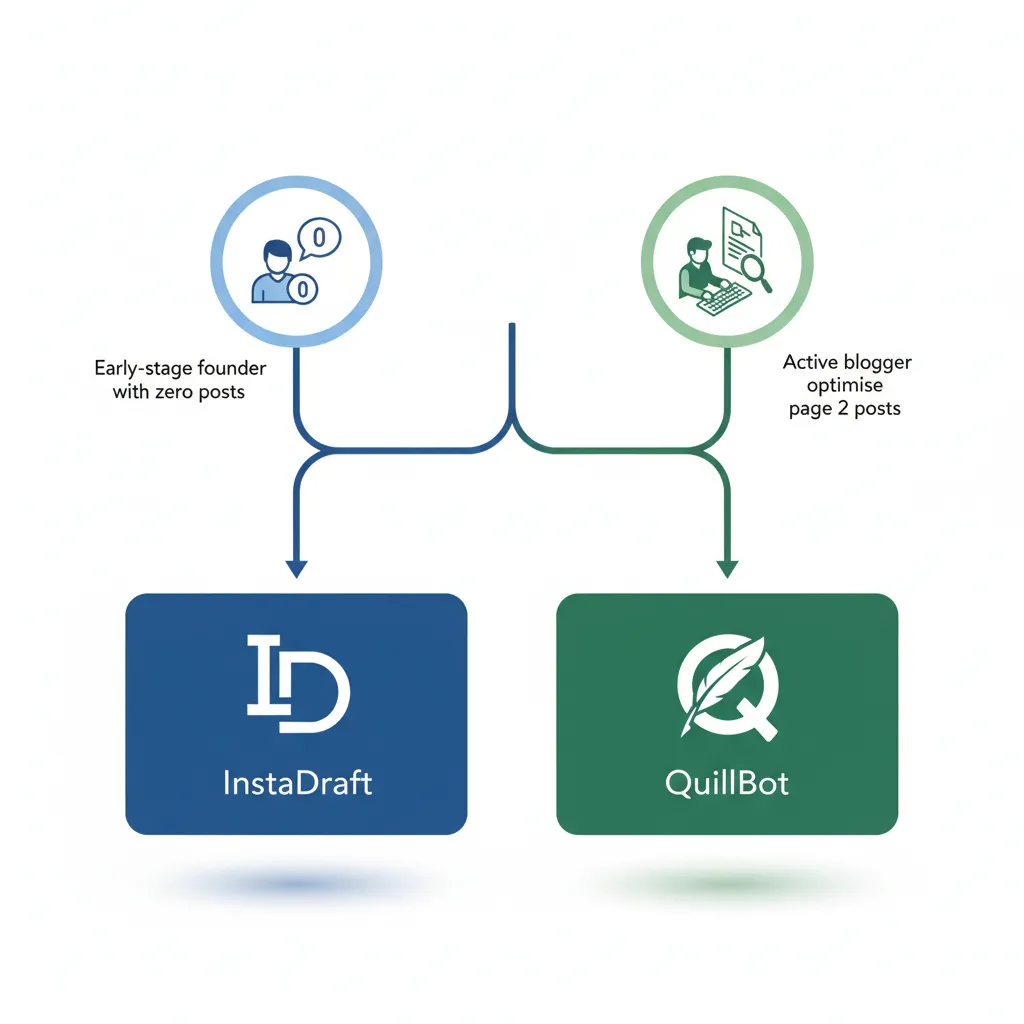
Every tool roundup eventually ends with “pick the one that fits your workflow” — which sounds helpful but tells you nothing. The more useful frame: your content stage eliminates most of these tools before you even open a tab.
Early-stage founder with no content yet
Zero published posts means a sentence-level rewriter is the wrong starting point. You don’t need to polish sentences — you need to produce complete, indexable drafts. QuillBot’s free Standard and Fluency modes are excellent at reworking text you already have; they can’t generate the structural SEO output that gets a new site into Google’s index. Reach for InstaDraft, which is built to take you from keyword to publishable draft rather than sentence to polished sentence. One full article live beats ten rewritten sentences that live nowhere.
Active blogger optimising existing posts
You have posts. Some rank on page 2. The job now is tightening individual passages, not rewriting whole articles. This is exactly where QuillBot’s 10 rewriting modes earn their reputation — Standard and Fluency are free, and the Humanizer option is accessible without a paid plan. Grammarly’s sentence rewriter also fits here: it runs inside your browser workspace, so you’re editing inline rather than copying text into a separate tool. The choice usually comes down to whether you want mode granularity (QuillBot) or in-context editing (Grammarly).
SaaS founder scaling to 2+ posts per week
Volume breaks sentence-by-sentence rewriting fast. At two posts a week, the bottleneck isn’t phrasing — it’s the time it takes to open a rewriter, paste a paragraph, apply a mode, copy it back, and repeat across 1,200 words. Copy.ai is built for teams repurposing content at scale, and Semrush’s AI Rewriter handles marketing-copy variations and CTA refreshes efficiently. But if you’re producing original SEO articles at that cadence, an AI SEO article writer that handles the full draft is a faster path than chaining a rewriter onto manual writing.
Frequently asked questions
What is the difference between synonym-swapping and structural rewriting?
Synonym-swapping replaces individual words — “good” becomes “effective,” “help” becomes “assist” — but leaves clunky sentence logic intact. Structural rewriting reorganises syntax and argument order so the sentence reads naturally from scratch. For SEO blog posts that difference matters: structurally rewritten sentences score better on readability metrics and are far less likely to trip plagiarism or AI-detection flags.
What criteria should I use to evaluate an AI sentence rewriter tool?
Four things separate useful tools from noise: output naturalness (does it still sound like you?), rewriting mode range (formal, simple, creative — more modes means more control), free-tier limits (how many words or runs before a paywall), and meaning preservation (does the rewrite drift from your original point?). For SEO content, add a fifth: does it factor in on-page context, or treat every sentence in isolation?
Which AI sentence rewriter is best for free, quick edits?
QuillBot leads the free tier for speed. Its Standard and Fluency modes are available without a paid subscription, and the Humanizer option is accessible at no cost — making it practical for polishing individual sentences in under a minute. No login friction, no character limit published on the tool page itself, which means you typically find the wall only after hitting it.
Which AI sentence rewriter is best for maintaining tone consistency across a full draft?
Grammarly handles tone consistency better than any dedicated rewriter in this list, because it operates directly inside your browser where the draft already lives. Its multi-tone options — formal, confident, casual — apply across a whole document rather than one isolated sentence at a time, which matters when you’re editing 1,200 words of a blog post rather than a single paragraph.
Which AI sentence rewriter is best for sentence-level phrasing variations?
Wordtune is purpose-built for exactly this. It generates multiple alternative phrasings for a single sentence and lets you shorten or expand the output — so if a sentence is technically correct but lands flat, you can cycle through variations until one fits. That granular control makes it the strongest option when the problem is phrasing choice, not structural logic.
Which AI sentence rewriter is best for social-media-optimized output?
Ahrefs’ Sentence Rewriter is explicitly tuned for social engagement — it restructures sentences for platform-specific punch rather than long-form readability. If you’re repurposing a blog excerpt into a LinkedIn post or X thread, it’s the fastest path from article prose to scroll-stopping copy without manually recutting every line.
Which AI sentence rewriter is best for marketing copy and CTAs?
Semrush’s AI Rewriter targets marketing copy directly — it’s designed to refresh promotional text, shift tone between persuasive and neutral, and help scale CTA variations without starting from zero each time. For a founder who needs five versions of an onboarding email or a landing-page headline, that’s a more focused fit than a general-purpose sentence tool.
Can an AI sentence rewriter replace a full SEO content workflow?
No — and conflating the two is the most common mistake founders make. A sentence rewriter fixes clarity and flow at the line level; it doesn’t choose keywords, structure an argument for search intent, or check whether your draft covers what Google’s top results actually answer. For a complete draft-to-publish pipeline, sentence rewriting is step two, not the whole process.