Best AI Tools for Content Creation (2026)
No fluff: the best AI tools for content creation ranked by workflow stage for solo founders. Research, writing, visuals, and social — all covered.

Queries around AI content tools carry a CPC of $10–$16. That one number tells you everything: everyone searching is ready to spend, not just browse. That buyer pressure has flooded the SERP with 30-tool megalists aimed at agency teams — and left solo founders staring at options that assume a dedicated marketing hire, a full SEO budget, and eight hours a week to glue tools together.
The short answer, updated May 2026: the best AI tools for content creation for a solo founder are Instadraft for SEO articles, Perplexity for research, Claude for long-form writing, Canva Magic Studio for visuals, and Buffer for social scheduling. Five tools. Five workflow stages. No bloat. The Google AI Overview already covers 383 words of general creator categories — video, audio, avatars — but names zero tools built for a one-person content operation with no SEO expertise on staff.
This guide goes where the AI Overview stops. Every recommendation below is filtered through a single question: does it produce publishable output without an agency behind it?
Why generic AI tool lists fail solo founders

The agency problem: 30-tool stacks don’t scale to one person
Marketer Milk’s top-ranking guide lists 30 tools. getblend.com covers 12. Both are written for teams where one person handles SEO, another handles design, and a third manages social scheduling. A solo founder opening either article faces a wall of options with no signal about which three tools actually matter when you’re the whole marketing department.
That structural mismatch is the real problem. A 30-tool list isn’t a recommendation — it’s a menu with no prices and no waiter.
What a lean founder content stack actually looks like
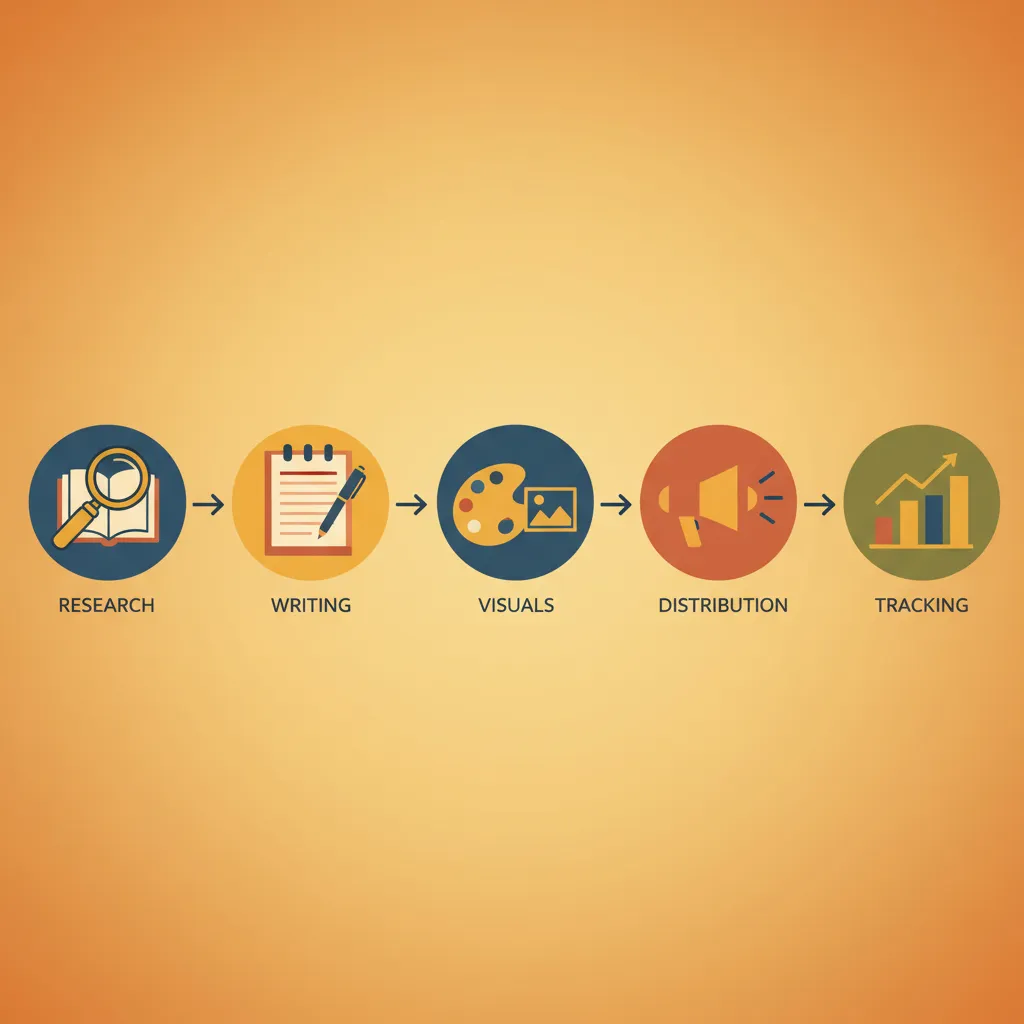
Five workflow stages sit between zero and published: research, writing, visuals, scheduling, and performance tracking. Most generic listicles lump these together or skip the founder constraint entirely. None of the current top-10 results address a bootstrapped operator who needs publishable output without an SEO background or a $500/month tool budget.
The AI Overview covering this query runs to roughly 383 words and does a decent job categorising tools by role — Perplexity for research, Claude for writing, Canva Magic Studio for visuals, Buffer for social. What it doesn’t do is tell you which combination is actually runnable by one person, or which stages are safe to skip in month one. That’s the gap this guide fills.
The 5 workflow stages every founder content stack must cover
Five stages sit between a blank page and a published article that actually gets found. Most generic lists collapse them into one — “just use ChatGPT” — which is why so many solo founders end up with drafts that never rank.
Here’s how the stages map to what you actually need:
| Stage | Job to be done | Example tool |
|---|---|---|
| 1. Topic research & SEO audit | Find a keyword worth targeting; check competition | Perplexity |
| 2. Writing & drafting | Produce a publishable, on-site-aware draft | Instadraft |
| 3. Visuals & design | Create post images without a designer | Canva Magic Studio |
| 4. Social distribution | Schedule platform-specific posts from one draft | Buffer |
| 5. Performance tracking | See what’s indexing and converting | Google Search Console |
Stage 1: Topic research and SEO audit
Perplexity gives you cited, summarized answers for research questions — not a wall of blue links you have to triage. For a founder trying to validate a content angle in under 10 minutes, that citation trail matters. The AI Overview already names it as the top research pick across multiple cited domains, which is a consensus signal worth trusting.
Stage 2: Writing and drafting
This is where most of the time goes, and where most generic tools break down. An AI that can’t read your existing site produces drafts that repeat what you’ve already published, miss your internal link opportunities, and ignore your target keyword density.
Stage 3: Visuals and design
Canva Magic Studio handles text-to-template generation and auto-resizes outputs for different platforms. That matters when you’re publishing the same article across three channels, each with different image specs.
Stage 4: Social media distribution
Buffer’s AI assistant detects which social channel you’re posting to and adapts the copy style accordingly — so the same article excerpt doesn’t read identically on LinkedIn and X.
Stage 5: Performance tracking
Nothing here replaces Google Search Console. It’s free, shows indexing status within days, and surfaces exactly which queries triggered an impression before any rank tracking tool picks them up.
Top AI tools for content creation by workflow stage
GWI Spark pulls from surveys covering millions of consumers across 50+ countries — that’s the scale behind its audience-insight claims, and it’s why the Google AI Overview cites it 6 times, more than any other tool in this category.
That one number explains the tool split below. Different stages need fundamentally different data sources, and no single tool covers all five.
Research & ideation: Perplexity and GWI Spark
Perplexity returns summarized answers with inline source citations, which means you can verify a claim before you publish it — not after. For audience insight before you even pick a topic, GWI Spark translates consumer survey data into angles your competitors haven’t found yet.
SEO writing & drafting: Instadraft (our pick for founders)
Most writing tools hand you a draft and stop. Instadraft runs a site-aware audit first — it reads your existing pages, identifies internal linking gaps, and builds SEO structure into the draft rather than bolting it on later. No SEO expertise required to get a publish-ready article. See how the workflow runs end-to-end, or read our companion guide on the best AI tools for SEO content writing.
Long-form copy: Claude
The AI Overview flags Claude as “highly recommended for natural, human-sounding long-form writing.” Marketer Milk independently ranks it above ChatGPT for the same reason — output that doesn’t read like output.
Visuals: Canva Magic Studio and Midjourney
Canva Magic Studio handles resizing, text-to-template, and image editing without a design background. Midjourney is the sharper choice for stylized or branded imagery where generic stock falls flat.
Social scheduling: Buffer and Predis.ai
Buffer’s AI assistant detects which platform you’re posting to and rewrites the copy accordingly — one draft, five formats. Predis.ai goes further, generating the visual alongside the caption before scheduling.
Comparing the best AI content creation tools for solo founders

Picture the moment: five browser tabs open, each showing a different tool’s pricing page, and you still can’t tell which one will actually publish an SEO article without a 12-step setup. That decision paralysis is exactly what no competitor comparison table addresses — getblend.com lists pros and cons per tool, but there’s no side-by-side scoring built for a solo founder with $50/month to spend and zero time for a learning curve.
Here’s the comparison that doesn’t exist yet.
Feature comparison table: price, learning curve, founder fit
| Tool | Primary use | Starting price | Learning curve | Founder-fit (1–5) | Free tier |
|---|---|---|---|---|---|
| Instadraft | SEO writing & publishing | Paid (free plan available) | Low | 5 | ✓ |
| Perplexity | Research & ideation | Free / Pro $20/mo | Very low | 5 | ✓ |
| Claude | Long-form writing | Free / Pro $20/mo | Low | 4 | ✓ |
| Canva Magic Studio | Visuals & design | Free / Pro $15/mo | Low | 4 | ✓ |
| Buffer | Social scheduling | Free / Essentials $6/mo | Very low | 4 | ✓ |
Free-tier reality check: what you actually get for $0
Every tool above has a free tier, but the gaps matter. Perplexity’s free plan limits you to 5 Pro searches per day — enough to validate one article topic, not an entire content calendar. Claude’s free tier cuts off at a context limit that makes long drafts frustrating. Canva’s free plan withholds Magic Studio’s AI background removal and batch resizing, which are the two features that actually save time. Buffer free supports 3 channels and 10 scheduled posts — workable if you’re posting to one platform once a week, nothing more.
Free tiers are real entry points, not full workflows. For research and scheduling specifically, you can stay free longer. Writing and design are different — you’ll hit the ceiling within a few weeks of consistent use.
Which AI content creation tools are best for content planning?
Most planning advice points you toward adding tools earlier in the workflow — pick a research tool first, the argument goes, because without good topics you’re wasting time on everything downstream. That logic sounds right. For a solo founder, it’s usually backwards.
How to decide which stage to automate first
The writing and drafting stage is where most founders lose the most hours. It’s also the only stage where a bad output blocks everything after it. You can’t distribute what you haven’t written. Perplexity gives you a topic in 90 seconds; spending those same 90 minutes drafting an SEO article by hand is where the week disappears.
Automate the stage with the highest time-to-output ratio first. For almost every solo founder, that’s drafting — not research, not scheduling.
The PAA data backs this up: when people ask “which AI is best for content creation planning,” the answers skew toward Perplexity for research and HubSpot for editorial calendars. Both are useful, but neither publishes an article. Start with the tool that ships output.
Building a 3-tool minimum viable content stack
Three tools cover the full loop without overlap:
- Perplexity — topic validation and source-backed research (free tier available)
- Instadraft — SEO article drafting with site-aware internal links built in (no SEO expertise required)
- Buffer — cross-platform scheduling with per-channel content adaptation
That’s research → publish → distribute. Adding a fourth tool before you’re shipping at least two articles a week is premature optimisation, not planning.
Honest limitations: what AI content tools still can’t do

Where human judgement stays essential
A founder shipped 14 articles in one month using Claude and Instadraft. Rankings climbed. Then a competitor changed their pricing model, a key statistic she’d cited went stale, and two posts carried a subtly wrong framing of a regulatory term. No tool flagged any of it. She caught the pricing error herself, three weeks after the posts went live.
That story is the gap every competitor list skips. getblend.com names “limited creativity and originality” as an AI challenge; marketermilk.com doesn’t mention hallucinations at all across its 30-tool guide. Neither addresses the specific failure mode that actually stings solo founders: plausible-sounding claims that are slightly wrong and hard to spot without domain knowledge. Fact-checking, choosing the angle that fits your specific audience, and deciding when a topic is too sensitive to automate — those stay human jobs in 2026.
The AI Overview problem and how to stay visible
The AI Overview for “best ai tools for content creation” runs approximately 383 words above organic results, covering every category from research to social scheduling. A generic listicle gets zero clicks even if it ranks on page one — the Overview already answered the question.
The counter isn’t better SEO. It’s specificity. The current Overview cites gwi.com 6 times, meetsona.ai 5 times, and no founder-focused source once. A tightly scoped article with a clear audience — bootstrapped founders, not agency teams — signals enough editorial differentiation that Google’s citation model has a reason to pull from it rather than the same 5 domains it already uses. Specificity is the moat.
Frequently asked questions
Which AI is best for content creation planning?
Perplexity is the strongest starting point for research-driven planning — it returns cited sources you can verify, which matters when you’re building a content calendar around real claims. For audience insight before you pick topics, GWI Spark pulls from surveys across 50+ countries and is cited six times in the current Google AI Overview for this category. Neither replaces a clear editorial strategy, but together they remove the guesswork from topic selection.
What AI is better than ChatGPT for content creation?
Claude consistently outperforms ChatGPT on long-form, human-sounding output — Marketer Milk’s practitioner-first 2026 guide positions it above ChatGPT specifically for marketing writing tasks. The distinction matters for founders: ChatGPT is versatile but its prose reads more generically at volume, while Claude holds tone better across 1,000+ word drafts. For SEO articles that need site-aware internal linking and audit context, a purpose-built tool like Instadraft adds a layer ChatGPT and Claude both lack.
What is the best AI tool for writing a content creation script?
Claude is the most-cited recommendation for scripting. Its long-form output sounds natural rather than templated, which is critical when a script needs to hold attention across a five-minute video. If you need structured templates for ads or marketing videos with consistent brand voice, Jasper is the more reliable choice. Once the script exists, Descript lets you edit the final video or podcast by editing the text transcript directly.
Do AI content tools hurt your Google rankings?
Google’s documented position is that it evaluates content quality, not the tool used to produce it — AI-generated content that is helpful, accurate, and written for people is treated the same as human-written content. The real risk is accuracy drift: AI tools hallucinate statistics, miss recent developments, and can’t update a fact after you publish. Human review at the editing stage — fact-checking claims, refreshing statistics, adding genuine experience — remains the non-negotiable step that separates ranking content from filler.
Can a solo founder realistically build a full content stack without an SEO background?
Yes, but only if the tools handle the SEO layer natively. Generic AI writers (ChatGPT, Claude used raw) produce drafts — they don’t audit your existing pages, suggest internal links, or flag keyword gaps. Tools built specifically for SEO article production, like Instadraft, embed that audit step so you’re not manually configuring Surfer SEO or Ahrefs before you can write. For a founder with no SEO hire, the tool selection decision is effectively the same as the SEO strategy decision.
What are the 5 C’s of content?
Clarity, Consistency, Creativity, Context, and Call-to-Action — the five qualities a piece of content needs to do real work. None of the current top-ranking AI tool roundups address this framework directly, but it maps neatly onto the workflow: research tools (Perplexity, GWI Spark) handle Context; writing tools (Claude, Instadraft) handle Clarity and Creativity; scheduling tools (Buffer) enforce Consistency; and on-page SEO ensures the Call-to-Action actually reaches someone searching for what you wrote.